





Algonquin College offers a flat‑rate commission structure for eligible partners.
For full details on your specific commission rate, payment criteria, and payment cycle, please refer to the Agent Agreement you have signed with us.
Accessing the Commission Portal
Our myACIntAgent Application Portal includes a dedicated Commission function.
Access is granted only to designated individuals within your organization, as this section contains sensitive financial information and is used to manage your banking details.
Commission payments cannot be issued until banking details are approved
Submit or Update Your Banking Information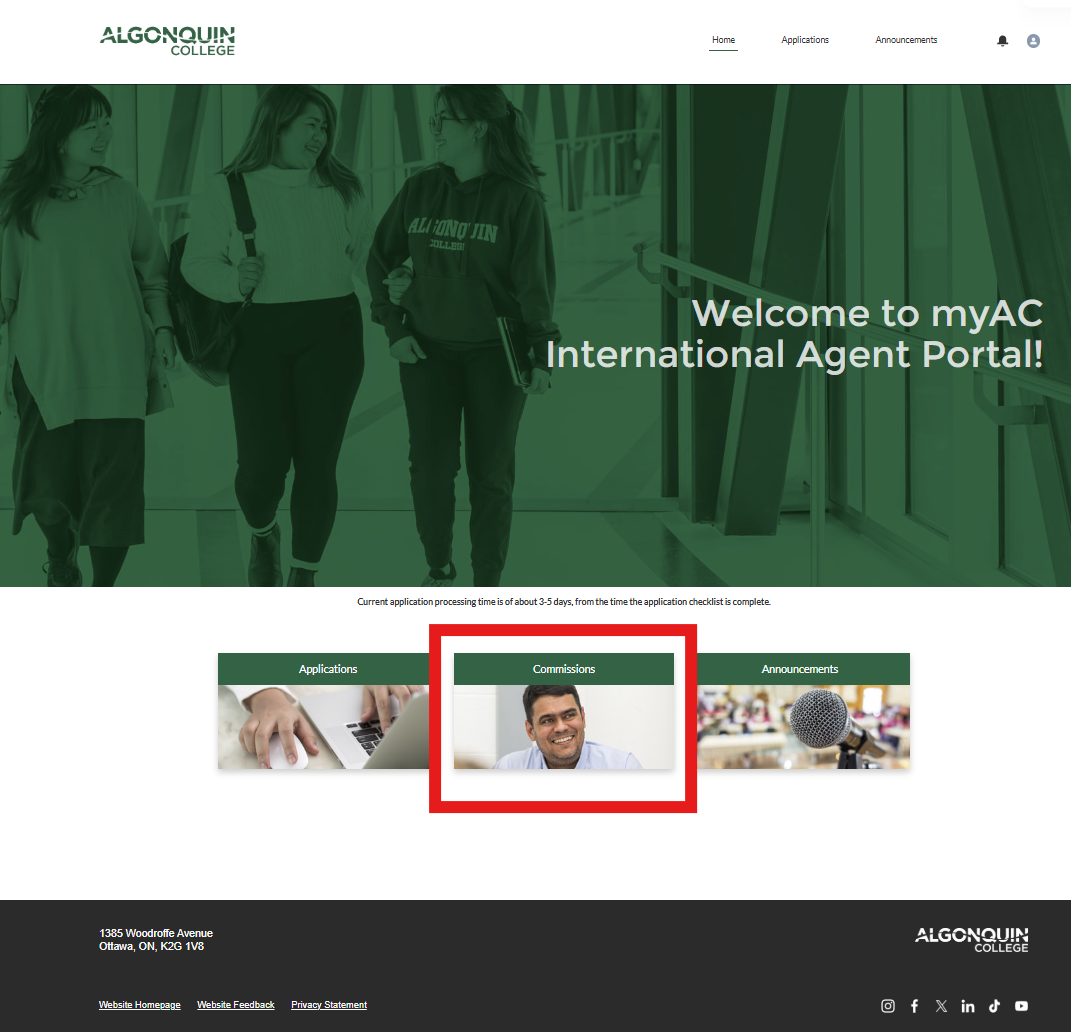
- Log in to the Application Portal.
- Navigate to the Commission tab.
- Select Manage Bank Details and enter or update your organization’s banking information.
Once submitted, our team will review your banking information.
- If everything is complete, we will approve it.
- If additional details are required, we will contact you.
Automatic Commission Payments
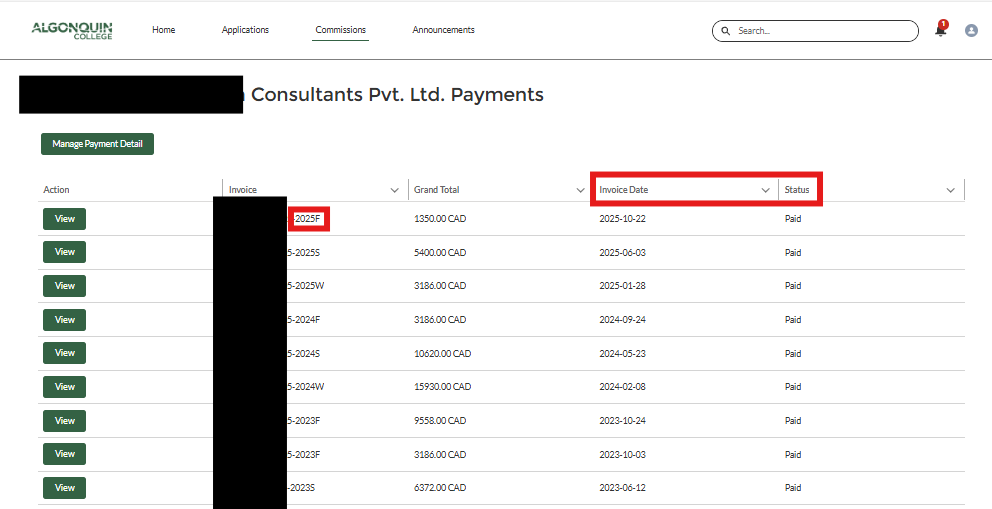
There is no need to send invoices. Our system automatically calculates and issues commission payments.
How the Calculation Works
- After Day 10 of each intake (the final day a student may withdraw with a refund), the system automatically tallies commissions based on the number of registered students associated with your agency.
- A commission statement will be available in the portal after this date, showing:
- the number of eligible students
- the total commission amount
- the status of your payment
Need Assistance?
If you have questions about access, banking information, or commission statements, please contact us at agentcommission@algonquincollege.com and we will be happy to support you.