Library Digital Resources

Celebrate Canadian Library Month! 

October is Canadian Library Month, which means it’s time to celebrate one of the best places on campus to study, discover something new, find your next great read—and maybe escape your to-do list for a little while!

This year’s theme is “Loud for Libraries,” and we’re getting involved by celebrating the many ways libraries support students, learning, discovery, and connection.

Because libraries aren’t just about books. They’re about finding the right resources, discovering new ideas, connecting with your community, and having access to all kinds of things you might not even know are available to you.

And this October, there’s lots happening at the Algonquin College Library!

📖 Meet the Ottawa Public Library

On Thursday, October 22, from 10 a.m. to 1 p.m., the Ottawa Public Library’s Nepean Branch will be joining us in the Knowledge Keepers space (Room C350).

Their team will be on campus to help you:

  • 📚 Discover some great fiction and recreational reading options.

  • 🪪 Sign up for an Ottawa Public Library card.

  • 💬 Learn more about the resources, services, and collections available through your local public library.

It’s the perfect chance to discover your next beach read, mystery, romance, fantasy, thriller—or whatever happens to catch your eye.

And yes, reading for fun is allowed when you’re a student!

An Ottawa Public Library card gives you access to much more than physical books, too. You can explore digital resources, programs, community services, learning opportunities, and more.

So, if you haven’t checked out your local public library lately, this is a great time to start.

🔎 Looking for a Book? Think Beyond Our Shelves!

Here’s a library tip worth knowing: you don’t have to limit yourself to the Algonquin College Library collection.

If the book you’re looking for isn’t available at AC, there may be another library nearby that has it!

A table will be set up alongside the Ottawa Public Library team to introduce the AC community to Sm@rtLibrary cards.

Sm@rtLibrary is a partnership of libraries across the National Capital Region that brings together public, academic, and specialized libraries through one consolidated search tool. Basically, it gives you a bigger library universe to explore. 🌎📚

Algonquin students and employees can get a Sm@rtLibrary card from the campus library desk.

When you borrow from a participating library for the first time, just remember to bring your Sm@rtLibrary card and your Algonquin AC Card.

So the next time you’re searching for a book and it’s nowhere to be found in our collection, don’t panic. Your next stop might be another library!

Learn more about Sm@rtLibrary and borrowing from other libraries.

📚 Take a Look at Our Book Display

We’re also celebrating Canadian Library Month right here at the Algonquin College Library!

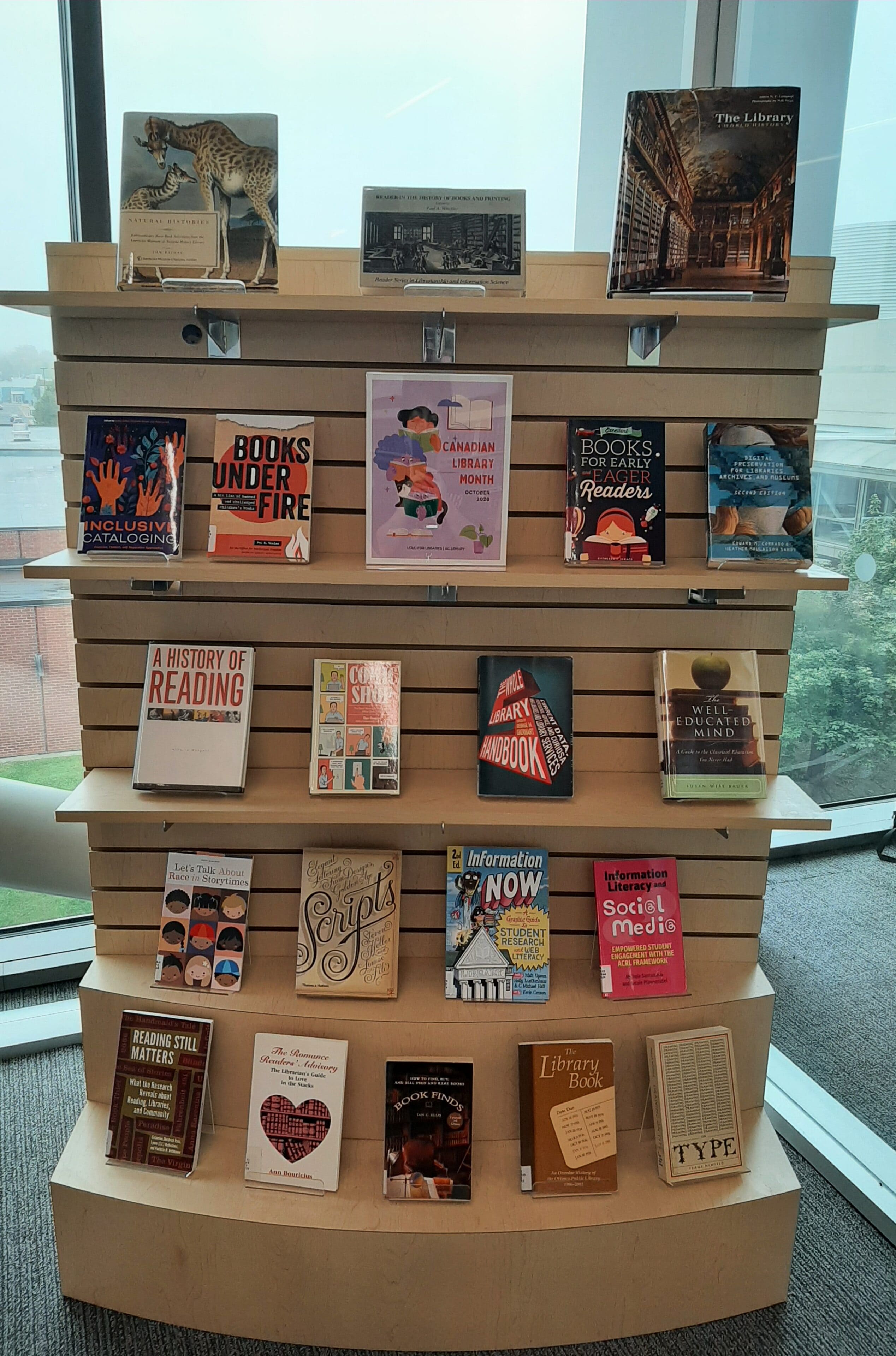
Head over to Collection Room II to check out our special Canadian Library Month book display.

The display features books that celebrate libraries and highlight the people, places, and stories connected to them.
🎉 So, Let’s Get Loud for Libraries!

Libraries have a lot to offer—and Canadian Library Month is the perfect excuse to explore it all.

Whether you’re looking for your next great read, need access to a resource, want to discover another library in the community, or just want to see what’s happening at the AC Library, come check us out this October.

Stop by the Ottawa Public Library visit, explore Sm@rtLibrary, browse our book display, or simply take a moment to appreciate your local library.

Because there’s always more to discover.

This Canadian Library Month, let’s get Loud for Libraries! 📚🔊✨

Using AI for School? Here’s What You Need to Know

Using ChatGPT or other AI tools? You’re not alone. But knowing how to use AI effectively—and responsibly—can make a big difference in your research, writing, and studies.

This October, the Algonquin College Library is offering online workshops to help you get more comfortable with generative AI. You’ll learn how to evaluate AI-generated information, use better prompts, cite your sources, understand when to acknowledge AI, and make informed decisions about using AI in your academic work.

Whether you’re wondering “Can I use AI for this assignment?”, “Do I need to cite it?”, or simply “How can I get better results from ChatGPT?”, there’s a workshop for you.

Here are four sessions to check out this month.

Not sure when you need to cite AI? We’ve got you covered.

Using ChatGPT or another generative AI tool for your coursework can raise some questions: Do I need to acknowledge it? How do I cite it? What counts as responsible use?

When to Cite and Acknowledge GenAI will help answer these questions. You’ll learn more about how generative AI works and get practical guidance on academic integrity, citation, and acknowledging your use of AI in your academic work.

October 13, 2026 | 11:00 a.m.–12:00 p.m.

Register for the workshop

Don’t believe everything AI—or the internet—tells you

AI can give you an answer in seconds, but that doesn’t mean the answer is accurate.

In Critical Thinking, GenAI and Research, you’ll learn how to evaluate information using the C.R.A.A.P. test, a useful framework for checking the credibility, relevance, and reliability of sources. You’ll also learn how to recognize misinformation and AI-generated content—skills that can make a big difference when you’re researching for an assignment.

October 21, 2026 | 12:00–1:00 p.m.

Register for the workshop

New to generative AI? Start here.

If you’re still figuring out what generative AI can—and can’t—do, AI at AC: A Beginner’s Guide to Generative AI is a great place to begin.

You’ll explore how tools like ChatGPT can support research and writing, learn about their limitations, and find out how to use them in ways that align with Algonquin College’s Academic Integrity policies.

October 22, 2026 | 10:00–11:00 a.m.

Register for the workshop

Want to use AI as part of your research process?

Generative AI can be a useful research partner when you know how to use it effectively.

In AI as Your Research Partner: Using It Responsibly Online, you’ll learn prompting techniques, explore the limitations of AI, and discover ways to incorporate AI into your research process responsibly and ethically.

October 22, 2026 | 10:00–11:00 a.m.

Register for the workshop

Ready to build your AI skills?

AI is becoming an increasingly common part of academic life, and knowing how to use it thoughtfully is an important skill.

For more AI resources, visit the AI: Generative Artificial Intelligence website or check the Library’s workshop calendar for upcoming sessions.

Your 2026 Fall Semester Starts Here: Resources, Spaces & Support

Welcome to the Fall 2026 semester! The Library and Student Learning Centre (SLC) are here to help you get off to a great start with the tools, spaces, and support you need to thrive this term.

🔐 Quick Tip:
To access most online resources, log in with your College Network Account.

📚 Your Study Sanctuary: Library Spaces

Need a quiet corner to concentrate or a space to collaborate? The Ottawa campus Library is open 24/7—perfect for night owls and early risers alike.

✔ Silent study room
✔ Individual study desks
✔ Bookable meeting rooms (located on the 2nd floor of C Building)

👉 Find details on the Library Study Spaces page.

📖 Borrow & Return Books with Ease

Looking for books related to your courses or other reading materials?

🌐 24/7 Digital Access

Explore our A–Z Digital Resource Collections:

📘 eBooks | 📊 Databases | 📰 Journals | 🎥 Videos

Just log in with your College Network Account to access digital resources anytime, wherever you are.

❓ Got Questions? We’ve Got Answers

Browse our FAQs for fast, clear answers to common questions—no need to stress or search endlessly.

✨ Free Academic Coaching at the Coaching Lab

Struggling with a subject or just want to stay ahead? Book a free coaching session, online or in person, for support with:

  • Anatomy & Biology
  • Computers
  • ESL
  • Math
  • Presentation Skills
  • Research Skills
  • Science
  • Study skills
  • Writing and more!

📍 On the Pembroke campus? Visit the Student Support Lab for coaching appointments.

👥 Peer Tutoring: Learn with a Peer

Looking for a little extra support in a course? For just $10/hour, connect with trained student tutors who have successfully completed the same course.

📅 Book sessions online or on campus.

🛠 Skill-Building Workshops

Academic Skills workshops help students build essential skills such as research, citation, academic writing, and effective study strategies.

🔍 Discover More with Page 1+

Think of Page 1+ as your research super tool. Quickly find books, articles, and academic resources relevant to your field—all in one place.

👉 Click here to learn how to start searching with Page 1+.

🧭 Subject Guides: Start Smart

Each guide is packed with resources tailored to your program or subject area—perfect for starting your research or getting to know your field.

👉 Click here to view our list of subject guides.

🌐 The Learning Portal: Province-Wide Resources

Access shared resources from colleges across Ontario through the Learning Portal. Explore helpful modules on:

  • Writing

  • Studying

  • Research

  • Career planning and more!

👋 We’re Here to Help—Anytime

Need guidance, research support, or someone to talk through your academic path? We’re just a message or visit away.

📍 Visit your campus Library Help Desk
💬 Use our Live Online Chat
📅 Book a Research Appointment

We’re excited to be part of your journey this fall. From resources and study spaces to academic support and expert guidance, we’ve got your back all semester long.

🍂 Welcome to Fall 2026!

Join us on Tuesday, September 8 for AC Day 1!

AC Day 1: Join us on Tuesday, September 8!

Hey there, new students! AC Day 1 is the perfect chance to dive right into the AC community. Don’t miss out on connecting with your classmates, securing the tech support you need, and discovering all the awesome academic resources waiting for you!

Heads up: AC Day 1 events are open to new students at the Ottawa Campus only.

Click here to register for AC Day 1!

Library Tours

This short walk through our beautiful library will introduce attendees to our onsite services and resources. Learn how easy it is to use our self-checkout kiosks to borrow books and how to borrow laptops from our new 24 hour laptop lockers. Find out more about the Coaching and Peer Tutoring services and meet Page 1+. It’s a lot like Google, but instead of searching the web, it searches the library’s online and in-house collection!

Where to meet: Library main desk, Room C350 (3rd Floor, C Building)
Tour times:

  • 10:00 am – 10:30 am
  • 1:00 pm – 1:30 pm

Discover The Coaching Lab

Come meet your academic coaches in the Coaching Labs! Learn how coaches can support you with your studies, courses, and overall academic journeys.

  • Event Location: Room C260 (2nd Floor, C Building/DARE District)
  • Hours: 9:00 am – 4:00 pm

Student Learning Centre Kiosk

Have questions about academic supports and not sure where to start? Drop by the Student Learning Centre booth and learn about services like Coaching, Peer Tutoring, and workshops.

These resources are designed to help you succeed academically and beyond. Join us and discover how we can support you!

  • Where to find us: Student Learning Centre desk (2nd Floor, DARE District/C Building)
  • Hours: 9:00 am – 4:00 pm

On-Campus Workshops (Ottawa)

Getting Started with Brightspace, Email, and Microsoft 365

In this workshop, you will find out how to sign in and navigate Brightspace, the online platform for your courses, so you are comfortable using it. The workshop covers how to access your course material, submit assignments, take quizzes, see your grades, and more. You will also learn about your student email and some of the Microsoft 365 apps, like Word and Teams, that you can access through your email account and that can help you in your studies.

Note: Space is limited — first come, first served.

  • Where: Library Learning Lab, Room C263 (2nd Floor, C Building)
  • When: 9:30 am – 10:30 am | 12:00 pm – 1:00 pm

Can’t make this one? Check out other available dates!

How to Start a Research Paper: A Step-by-Step Guide for Students

Feeling overwhelmed by your first research assignment? Learn how to choose a topic, find credible sources, organize your ideas, and get free research help from the Library.

If you’ve been staring at a blank screen wondering where to start your research paper, you’re not alone. Research assignments can feel overwhelming, especially if you’re new to college-level research or haven’t written a paper in a while.

The good news? Research isn’t about knowing all the answers—it’s about knowing how to find reliable information and build a strong argument. With the right strategy and support, you can approach your next assignment with confidence.

Step 1: Choose a Research Topic

Every great research paper starts with a clear topic.

Choose a subject that interests you, then narrow it until it’s manageable. A topic that’s too broad can leave you sorting through thousands of results, while one that’s too narrow may not have enough credible sources available.

If you’re unsure where to begin, the Library’s Research Guide includes tips for brainstorming and refining your research question.

Step 2: Plan Your Search Strategy

Before opening a database, spend a few minutes planning your search.

Write down:

  • Your main topic
  • Related keywords
  • Synonyms and alternative terms
  • Broader and narrower concepts

Using different keywords often leads to better search results. The Library’s Subject Guides can also help you identify the best databases and resources for your program.

Step 3: Find Credible Academic Sources

Once you’ve planned your search, it’s time to explore the Library’s resources.

Use Page 1+ and the Library’s Digital Resource Collections to find:

  • Peer-reviewed journal articles
  • Academic books and eBooks
  • Industry reports
  • Reference materials
  • Streaming educational content

As you search, pay attention to your assignment requirements. Your instructor may specify the number or type of sources you need.

Remember: quality matters more than quantity.

Step 4: Organize Your Research

Don’t wait until you’ve finished researching to start organizing your ideas.

As you read:

  • Take notes in your own words.
  • Record citation information for every source.
  • Save useful quotes with page numbers.
  • Group similar ideas together.

Once you’ve gathered your research, create an outline and develop your thesis statement. A clear plan makes writing much easier.

Step 5: Write Your First Draft

With your research and outline complete, you’re ready to begin writing.

Focus on communicating your ideas clearly rather than trying to make every sentence perfect. Your first draft is meant to be revised.

Writing becomes much more manageable when you’ve already done the research and organized your evidence.

Step 6: Cite Your Sources

Proper citations are an essential part of academic integrity.

Citing your sources:

  • Gives credit to original authors
  • Helps readers verify your information
  • Strengthens the credibility of your work
  • Helps you avoid plagiarism

The Library offers citation guides and support for APA, MLA, Chicago, and other citation styles.

Research Help When You Need It

You don’t have to figure everything out on your own. Whether you’re just getting started or putting the finishing touches on your paper, Library staff are here to help.

Book a Research Appointment

Need personalized support? Schedule a one-hour Research Appointment with a Library staff member online or in person.

During your appointment, you can get help with:

  • Choosing and refining a topic
  • Creating an effective search strategy
  • Finding scholarly sources
  • Using library databases
  • Evaluating information
  • Citing your sources correctly

When booking, include details about your assignment so staff can prepare resources tailored to your needs.

Have a quick question instead? Visit the Research Desk in Room C350 for drop-in assistance.

Build Your Skills with Free Workshops

Looking to strengthen your research and academic writing skills?

The Library offers free workshops throughout the semester, both online and in person (Room C263). Topics include finding scholarly articles, searching databases effectively, evaluating sources, and citation basics.

Check the monthly Workshop Schedule to see upcoming sessions.

Need Writing Support?

The Coaching Lab provides free writing and English language support for Ottawa campus students.

Whether you’re developing your thesis, organizing your ideas, or polishing a final draft, the Coaching Lab can help. Visit Room C260 on the second floor of the DARE District to connect with a coach.

Start Your Research with Confidence

Every strong research paper begins with a simple first step.

Choose a topic. Plan your search. Find credible sources. Organize your ideas. Write your draft. Cite your work.

And remember—you don’t have to do it alone. The Library’s collections, guides, workshops, and staff are here to support you throughout the research process.

Good research isn’t about finding all the information. It’s about finding the right information and knowing how to use it effectively.

Indigenous Resources at the AC Library

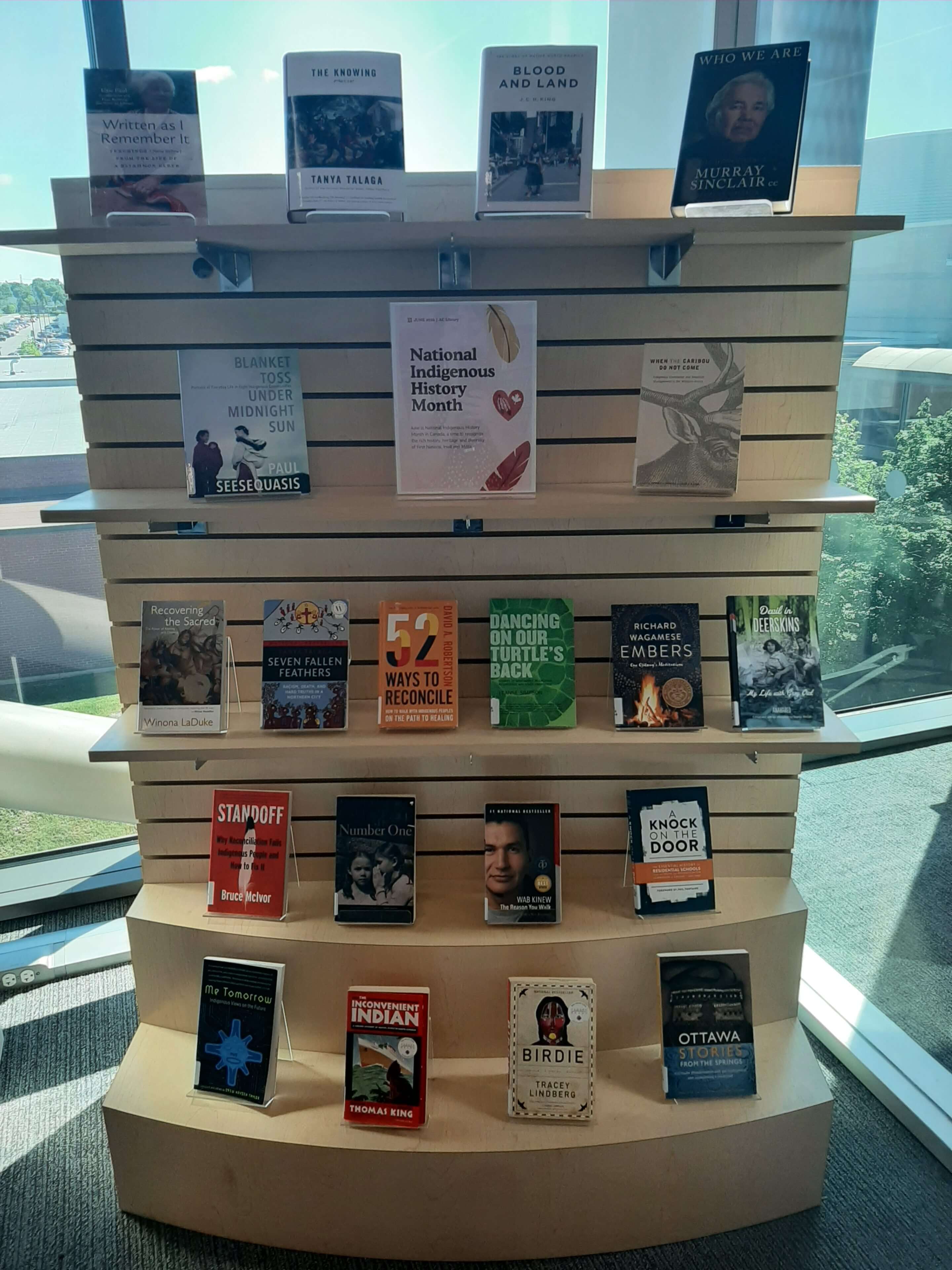
June is Indigenous History Month. The AC Library offers a wide range of resources to help deepen your understanding of Indigenous histories, cultures, languages and contemporary communities in Canada, such as Kitigan Zibi, Tyendinaga, Pikwakanagan, and Akwesasne.

Some recommended books include:

Visit the Library on the 3rd floor of C Building (Room C350) to explore our Indigenous History Month Book Display. Browse a curated collection of Indigenous literature and borrow featured titles that highlight Indigenous voices, stories, cultures, and perspectives throughout the month.

Would you like to learn more about Pikwakanagan? Visit the Algonquins of Pikwakanagan First Nation (AOPFN) website to discover more about the Algonquin community located on the shores of Golden Lake and the Bonnechere River in Renfrew County, Ontario.

Looking for more resources? Explore the library’s Indigenous Studies Guide for access to associations, streaming videos, journals, books, and other learning materials.

To connect with the Library, visit us in person, send us an email at library@algonquincollege.com, give us a call, or use our online chat service.

Métis Resources: National Indigenous History Month

The AC Library offers a wide range of resources to support learning about Métis peoples in Canada. Métis people are one of the three distinct Indigenous Peoples recognized in Canada, alongside First Nations and Inuit. Métis people have a unique history, culture, traditions, language, and identity that are distinct from both First Nations and Inuit peoples.

Some recommended books include:

Additional Recommended Resources:

  • The Maamwi Hub: Inspired by the TRC 94 Calls to Action to ensure that the 24 Colleges of Ontario lead in the education of staff and students on the diverse Indigenous histories, cultures, and current Indigenous worldviews. The word “Maamwi” means “together” in Anishinaabemowin, one of the many spoken Indigenous languages in the territory currently referred to as Ontario. Click here to learn more about Métis people and their community.
  • National Film Board (NFB) Indigenous Cinema: Discover the NFB’s rich online collection of First Nations and Métis films. Available through the library’s digital resources subscription.

For more information, please visit the library, located on the 3rd floor of C Building, or contact us by live chat.

Celebrating National Indigenous History Month

Algonquin College is celebrating National Indigenous History Month with a diverse range of events, discussions, and educational experiences throughout June. From engaging lectures and interactive workshops to community gatherings and storytelling sessions, the campus will offer meaningful opportunities to recognize and celebrate Indigenous knowledge, cultures, and leadership.

Events for the week of June 1st – 5th:

June 2 – Pikwakanagan Volunteer Day with Nìgàn partners and college employees

Location: Makwa Community Centre – 83 Kagagimin Inamo, Golden Lake, ON K0J 2A0

Time: 10 a.m. – 2 p.m.

June 2 | 10:00–11:30 AM (Virtual)

PD Session (ENL1004 – Session 3: Interdisciplinary Teaching)

(Facilitated by Carolyn Côté, Will Hennessy, and Robin Potts – LTS Team)

This session is part of a 3-part PD series supporting faculty in familiarizing themselves with the new course ENL1004. For Session 3, the LTS team will be facilitating a learning session focused on interdisciplinary teaching, which will include integrating “Mapping Good Teaching with Indigenous Learning Practices.”

June 3 – Truth and Reconciliation: Continuing the Conversation with Dr. Bruce McIvor (virtual)

In recognition of Algonquin College’s 10-year response report to the Truth and Reconciliation Commission Calls to Action, faculty and staff are invited to join Métis lawyer, author and educator Dr. Bruce McIvor for a virtual conversation on reconciliation, Indigenous rights, and meaningful change in education.

Together, we will explore:

  • What does meaningful reconciliation look like today?
  • How do we move beyond symbolic gestures?
  • What does accountability look like moving forward?

The session will include opening reflections, a moderated conversation, and participant Q&A.

Who should attend:

Faculty, staff, educators, academic leaders, curriculum developers and anyone interested in ongoing conversations around Truth and Reconciliation in education.

Date: Wednesday, June 3, 2026

Time: 1 p.m. – 2 p.m. EST

Register for this event

Your Spring Semester Starts Here: Resources, Spaces & Support

Whether you’re back on campus, learning remotely, or doing a bit of both—welcome to the spring semester! The Library and Student Learning Centre (SLC) are here to help you hit the ground running with tools, spaces, and support designed to help you thrive this term.


🔐 Quick Tip:

To access most online resources, log in with your College Network Account.


📚 Your Study Sanctuary: Library Spaces

Need a quiet corner to concentrate or a space to collaborate? The Ottawa campus Library is open 24/7—perfect for night owls and early risers alike.

✔ Silent study room
✔ Individual study desks
✔ Bookable meeting rooms (located on the 2nd floor of C Building)

👉 Find details on the Library Study Spaces page.


📖 Borrow & Return Books with Ease

Looking for books related to your courses or other reading materials?


🌐 24/7 Digital Access

Explore our A-Z Digital Resource Collections:
📘 eBooks | 📊 Databases | 📰 Journals | 🎥 Videos
Just log in with your College Network Account to access everything, anytime.


❓ Got Questions? We’ve Got Answers

Browse our FAQs for fast, clear answers to common questions—no need to stress or search endlessly.


✨ Free Academic Coaching at the Coaching Lab

Struggling with a subject or just want to stay ahead? Book a free session (online or in-person) for:

  • Math

  • Writing

  • ESL
  • Study Skills

  • Digital Skills and more!

📍 On the Pembroke campus? Visit the Student Support Lab for coaching appointments.


👥 Peer Tutoring: Learn with a Peer

For just $10/hour, connect with trained student tutors who’ve successfully taken the same course.

📅 Book sessions online or on campus.


🛠 Skill-Building Workshops

Boost your academic game with free workshops on:

  • Research

  • Writing

  • Digital literacy

  • Study techniques

Attend in-person or online! Click here to view the full workshop schedule.


🔍 Discover More with Page 1+

Think of Page 1+ as your research super tool. Quickly find books, articles, and academic resources relevant to your field—all in one place.


🧭 Subject Guides: Start Smart

Each guide is packed with resources tailored to your program or subject area—perfect for starting research or understanding your field.


🌐 The Learning Portal: Province-Wide Resources

Access shared resources from colleges across Ontario through the Learning Portal. Explore helpful modules on:

  • Writing

  • Studying

  • Research

  • Career planning


👋 We’re Here to Help—Anytime

Need guidance, research support, or someone to talk through your academic path? We’re just a message or visit away.

📍 Visit your campus Library Help Desk
💬 Use our Live Online Chat
📅 Book a Research Appointment


We’re excited to be part of your journey. From resources to real support, we’ve got your back all semester long. Welcome to a new term!

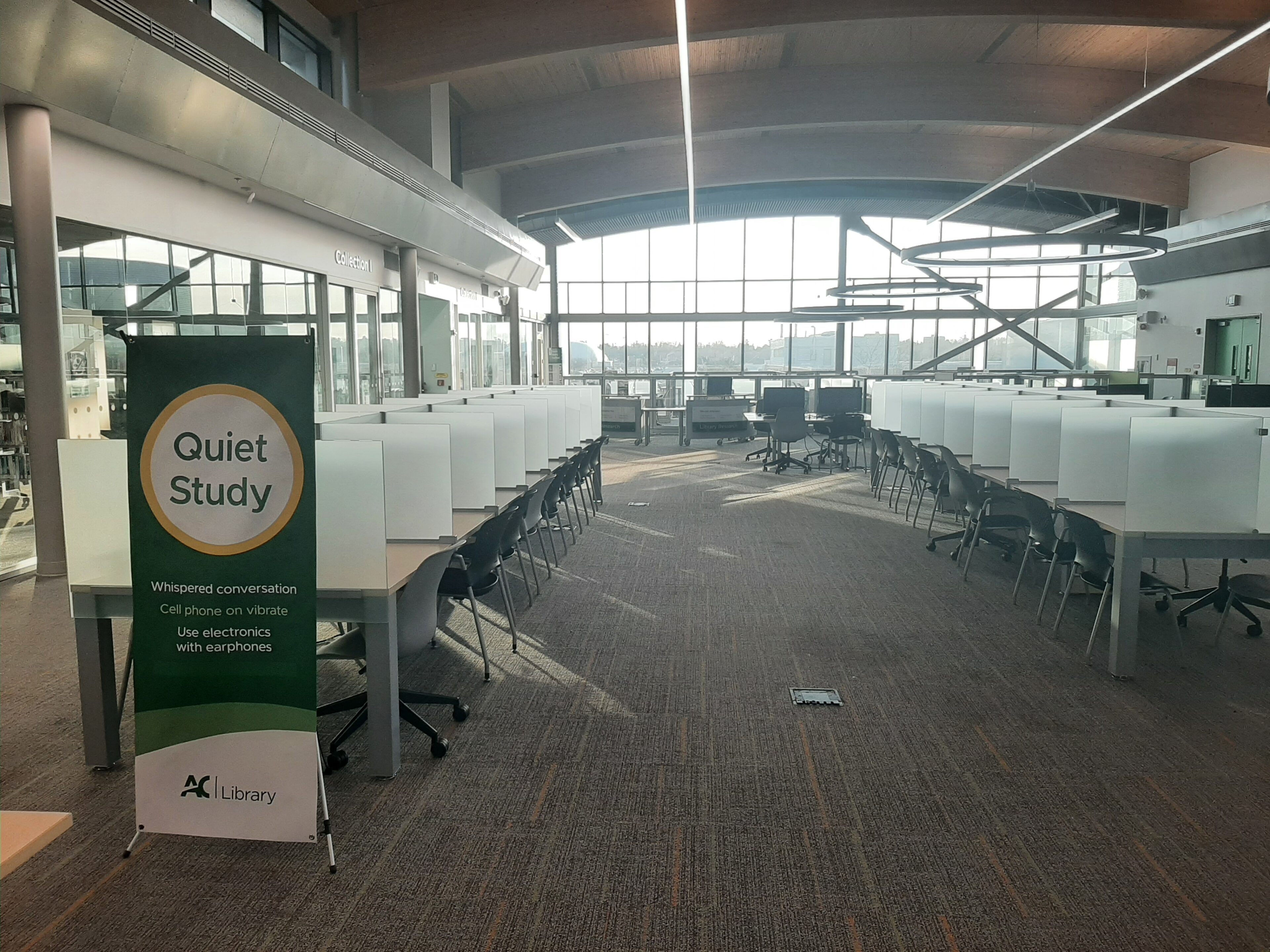
Claim Your Space: New Single Study Desks Located in the Library

Finding a quiet place to focus on campus can be a challenge—especially during midterms and finals. That’s why the library’s new single study desks are such an exciting addition for students looking to get serious work done.

What Are Single Study Desks?

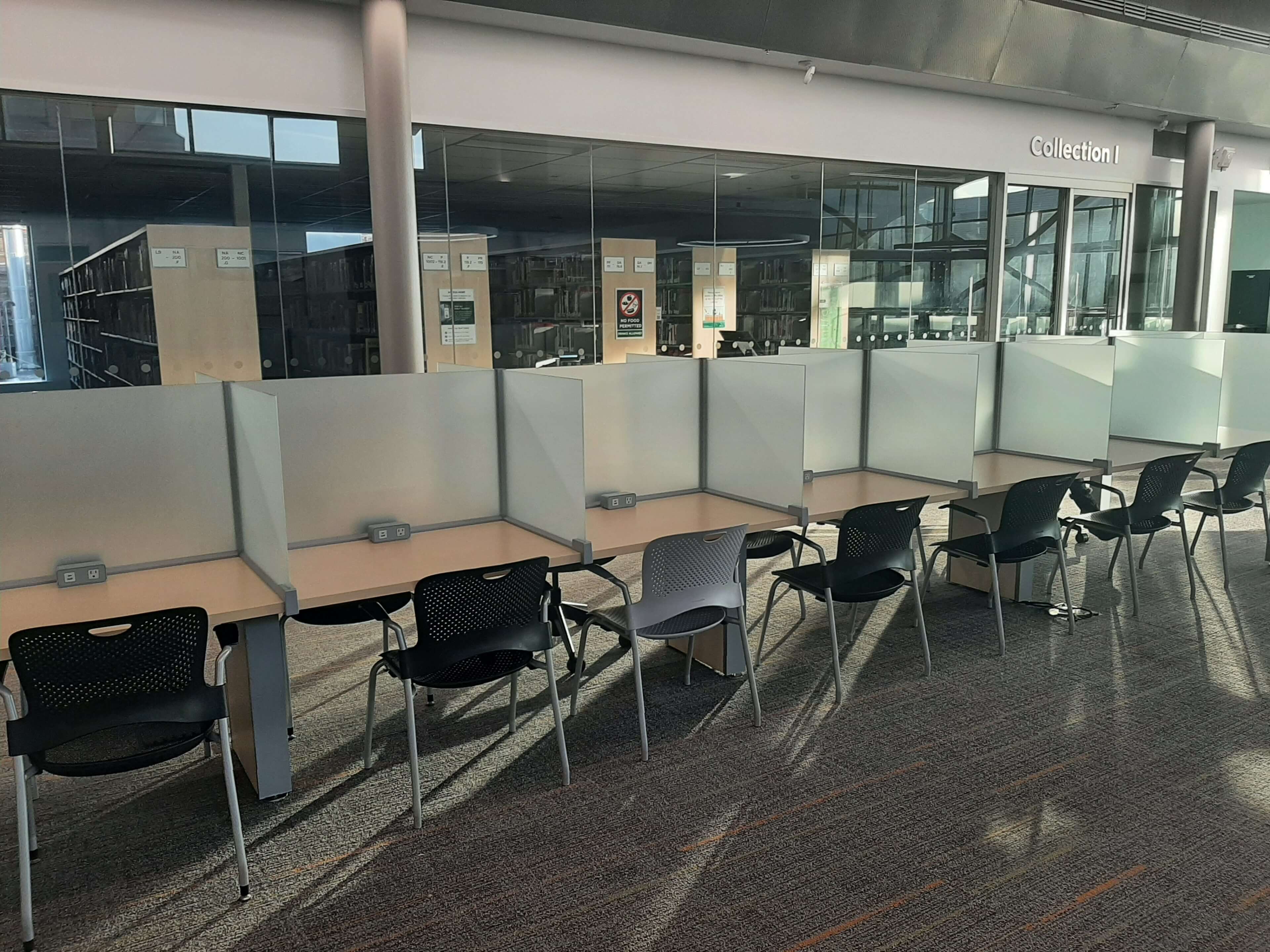
Single study desks are individual workstations, located in the Quiet Study area of the library. Unlike long shared tables, these desks are designed for one person, with dividers that create a semi-private space.

Think of them as your personal focus zone—no interruptions, no side conversations, just a space for you and your work.

Why Students Will Love Them

Here’s what makes individual study spaces so popular:

1. Fewer Distractions
When you’re seated at a shared table, it’s easy to get pulled into conversations or notice what everyone else is doing. A single desk creates a boundary that helps you stay in your own lane—mentally and physically.

2. Better Focus = Better Results
Having a dedicated space signals to your brain that it’s time to work. Over time, just sitting down at that desk can help you get into study mode faster.

3. Ideal for Deep Work
If you’re tackling something that requires serious concentration—like writing an essay, coding, or reviewing complex material—single desks make it easier to stay locked in.

When You Should Use One

Single study desks aren’t always necessary, but they’re especially helpful when:

  • You have a big exam coming up
  • You need to write or read for long periods
  • You’re easily distracted by noise or people
  • You want a structured, focused study session

For lighter work or group projects, open tables might still be the better choice.

Tips to Make the Most of It

If you manage to grab one of these coveted spots, don’t waste it. Here’s how to use it effectively:

  • Come prepared: Bring everything you need so you don’t have to leave frequently
  • Set a goal: Decide what you want to accomplish before you sit down
  • Limit your phone use: Put it on silent or out of sight
  • Use time blocks: Try studying in focused intervals (like 25–50 minutes)

Final Thoughts

Single study desks might seem like a small detail in a library, but they can make a big difference in how you work. In a world full of distractions, having a quiet, personal space is more valuable than ever.

Next time you walk into the library, skip the crowded tables and try claiming a desk of your own. You might be surprised at how much more you get done.