Services

Join Us for AC Day 1 on September 5th!

Autumn is in the air and with it comes a fresh start to the school year! Join us for all the activities happening on September 5, 2023 for AC Day 1 and discover how the Library and Student Learning Centre (SLC) can support you in your journey towards academic success this semester and beyond.

Library Tours

This short walk through our beautiful library will introduce attendees to our onsite services and resources; such as the silent study area, collaborative learning spaces, and helpful staff. Learn how easy it is to use our self-checkout kiosks to borrow books and find out how to borrow laptops from our new 24h laptop lockers! You’ll also learn about our Coaching and Peer Tutoring Services and meet Page 1+; – it’s a lot like Google, but instead of searching the web, it searches the library’s online and in-house collection!

Event Location: Attendees to meet at the Library main desk in Room C350 (3rd Floor, C Building)

  • 11:00am – 12:00pm
  • 1:00pm – 2:00pm
  • 3:00pm – 4:00pm

On-Campus Workshops (Ottawa Campus)

Getting Started with Brightspace & Zoom
In this workshop, you’ll get to know Brightspace, the online platform for your courses. You will learn how to access your course materials, submit assignments, take quizzes, see your grades, and more. You will also learn about Zoom, including how to set up your Zoom account, adjust your account settings for security, schedule your own zoom meetings, and work with your classmates.
*Please note, this workshop is first-come, first-serve due to limited spaces.

Event Location: Library Learning Lab (Room C263, 2nd Floor, C Building)

  • 9:00am – 10:00am

Getting Started with Brightspace, Email, and Microsoft 365
In this workshop, you will find out how to sign in and navigate Brightspace, the online platform for your courses, so you are comfortable using it. The workshop covers how to access your course material, submit assignments, take quizzes, see your grades, and more. You will also learn about your student email and some of the Microsoft 365 apps, like Word and Teams, that you can access through your email account and that can help you in your studies.
*Please note, this workshop is first-come, first-serve due to limited spaces.

Event Location: Library Learning Lab (Room C263, 2nd Floor, C Building)

  • 10:00am – 11:00am

Can’t attend a session? Click here to check out the Student Learning Centre‘s workshops running daily from August 21 to September 8.

Introduction to the Library
In this workshop, attendees will learn how to search through the library website to find ebooks, videos, articles, tutorials, statistics, and more! You’ll also learn new strategies for navigating our online resources and digital collections to easily find the resources you are looking for. *Please note, this workshop is first-come, first-served due to limited spaces.

Event Location: Library Learning Lab (Room C263, 2nd Floor, C Building)

  • 2:00pm – 3:00pm

Online Workshops

Introduction to the Library
In this workshop, you will learn how to search through the library website to find eBooks, videos, articles, tutorials, statistics, and more! You’ll also learn new strategies for navigating our online resources and digital collections to easily find the resources you are looking for.

Event Location: Virtual Event via Zoom. To join the session, click here.

  • 10:00am – 11:00am

Can’t attend this session? Library workshops will be running weekly throughout September. Visit the Workshops website to view the monthly schedule and sign up.

Getting Started with Brightspace & Zoom

In this virtual workshop, you’ll get to know Brightspace, the online platform for your courses. You will learn how to access your course materials, submit assignments, take quizzes, see your grades, and more. You will also learn about Zoom, including how to set up your Zoom account, adjust your account settings for security, schedule your own zoom meetings, and work with your classmates.

Event Location: Virtual Event via Zoom. To join the session, click here.

  • 12:00pm – 1:00pm

Can’t attend this session? Click here to check out the Student Learning Centre‘s workshops running daily from August 21 to September 8.

To View the full schedule of AC Day 1 activities and events please click here.

Say Yes to Less Stress

School. Work. Social life. Juggling all of our responsibilities and commitments can sometimes be overwhelming. That’s why we we want to help you get through the rest of the semester in the healthiest and most positive way possible! Keep reading to discover AC services, strategies, tips, and techniques to support your mental health and wellbeing.

Managing Stress

Sign up for an upcoming Stress Management Workshop. These sessions are led by an Algonquin College counsellor and will help you learn more about practical strategies to help with stress management so that you can better focus on your learning!

*This is an online event. Event URL will be sent via registration email.

  • Thursday, March 16, 2023 / 11:00am – 12:00pm
  • Wednesday, March 29, 2023 / 3:00pm – 4:00pm

For more self-guided stress management strategies, we recommend exploring the Essential Study Skills Guide. Here you will find modules covering:

  • How to cope with stress
  • Changing your perception of stress
  • Problem solving to manage stress

The Learning Portal

The Well-being hub was designed to help develop strategies to improve your overall state of happiness and health. Complete the Well-being Assessment to determine the areas of wellness where you are thriving and the ones that may need greater attention or explore these eight modules to find tips and techniques for improving wellness in different areas of your life:

Finding Support

You don’t have to do it alone! If you find yourself struggling or feeling overwhelmed by stress, we encourage you to reach out and connect with the services and resources available to help.

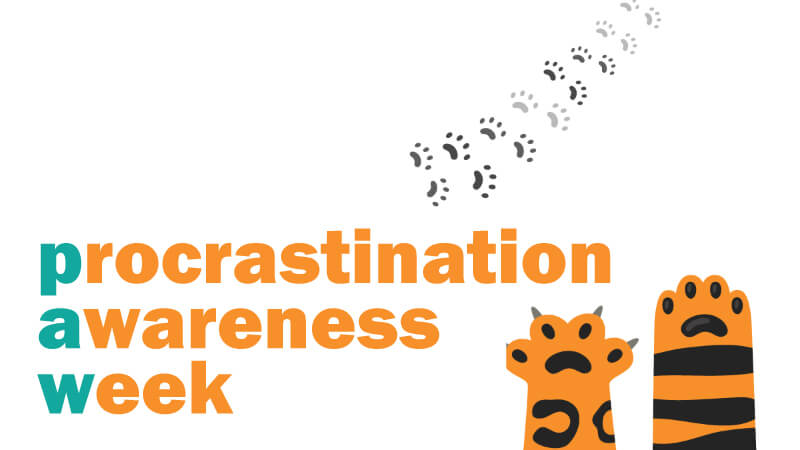
It’s Not to Late to Participate in Procrastination Awareness Week 2023!

Procrastination Awareness Week (PAW) is a cross-institutional collaboration that invites students to learn more about procrastination, develop effective habits, and connect with one another. Students are invited to attend remote workshops to learn strategies related to focus and concentration, motivation, time management, writing, studying, and exam preparation. The PAW programming will feature remote workshops to help students learn strategies related to focus and concentration, motivation, time management, writing, studying, and exam preparation as well as a virtual study hall for students who are looking to work alongside others and make progress on their end-of-term to do lists. The event is free, open, virtual, and inclusive and features some of the best procrastination-related programming from across participating institutions.

The goals of PAW include:

1. Increasing awareness about procrastination (what it is, how it happens, and how to work with it)

2. Supporting students to set achievable learning/study goals

3. Supporting students to develop effective academic habits

4. Supporting students to make progress on their end-of-term to do list

5. Connecting students with one another so that they can exchange tips and tricks

All students are invited to register, for free, here: https://bit.ly/3KIuaFQ
Please note, all events will take place on Zoom.

 

Discovery begins on Page 1+

The AC Library is excited to announce the official launch of Page 1+, the innovative new search tool for industry-relevant resources!

Page 1+ gives you easy access to the library’s collection. These resources have been hand-selected to be up to date and relevant to the specific programs offered by Algonquin College. With its intuitive design and powerful engine, Page 1+ will empower our students to complete their assignments more efficiently and effectively than ever before!

Here’s what you need to know:

  • Page 1+ is convenient. Regardless of when, where or what you’re studying, Page 1+ users will experience free, convenient access to their college library’s collection of expertly curated materials. The Page 1+ platform’s intuitive and accessible design takes the work out of research, inviting discovery, encouraging curiosity, and steering its users towards success.
  • Page 1+ is easy. With its single sign-on feature, discovering and accessing resources is a seamless experience. Users will no longer require a separate library account to login and can use their College Network Account.
  • To ensure your course materials are up to date, please check your Brightspace links. Links harvested directly from the database source will continue to work during/after this upgrade. Links harvested from our One Search tool should be replaced with a direct link to the source database before August 31, 2022.

Questions about Page 1+? Visit our How to Use Page 1+ Guide or contact us at library@algonquincollege.com for support.