Amazon Hub Lockers
 A secure and convenient delivery option for Ottawa Campus!
Algonquin College is pleased to provide Amazon Hub Lockers in Residence. By selecting our locker location at checkout, students will now have a reliable, self-service option to receive and collect Amazon orders on their schedule.
Students who use Amazon Hub Lockers can expect:
- 24/7 Accessibility – Packages can be collected at any time, providing greater flexibility for students with busy schedules.
- Secure Pickup Process – Each delivery is protected with a unique access code or through the Amazon app.
- Efficient Service – Reduces wait times and congestion at residence service desks.
- Convenient Location – Lockers are situated within Residence front lobby for ease of access.
Find out more about Amazon Lockers
Locker Location
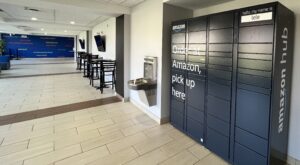
Amazon Hub Lockers are available in the front lobby of our Residence (Building R) on the first floor, just to the right of the Service Desk. Look for a locker named “lele“.
How it works
- Place your order on Amazon
- Select Amazon Hub Locker as your delivery location at checkout
- Choose our residence locker named “lele”
- Receive your pickup notification via email or text
- Visit the locker and follow the instructions to retrieve your package
Pickup Timeframe
- Packages are typically available for pickup for up to 72 hours following delivery
- Reminder notifications will be issued if a package has not been collected
- Items not retrieved within the designated timeframe may be returned to Amazon
Package Eligibility
Amazon Hub Lockers can accommodate most standard deliveries. However, certain items may not be eligible, including oversized packages, items requiring special handling, and restricted or hazardous materials.
Learn more about Pickup Location Eligibility here.
FAQ’s
Can I have non-Amazon packages delivered to the lockers?
No. Amazon Hub Lockers are intended exclusively for eligible Amazon orders. Other deliveries will follow standard residence mail procedures.
How will I know when my package is ready for pickup?
You will receive a notification from Amazon with your pickup instructions, including a unique access code and locker location.
What happens if the locker is full?
Amazon may redirect your package to an alternate pickup location or adjust the delivery method.
What if I do not pick up my package in time?
Packages not collected within the designated timeframe may be returned to Amazon.
Where can I find my pickup code?
Your pickup code is included in your delivery notification and can also be accessed through your Amazon account under “Your Orders.”
Why do we have Amazon Hub Lockers on Campus?
This initiative is a partnership between Algonquin College Campus Services and Amazon, with a goal to improve the delivery experience for students, staff, and the Campus community.