Posted on Thursday, January 20th, 2022
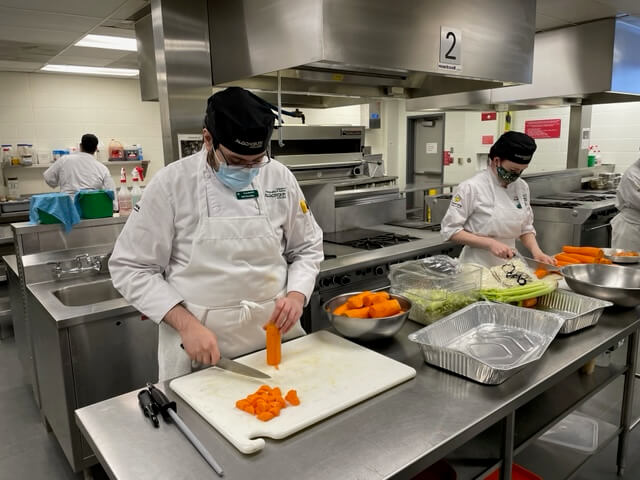
For two weeks beginning Jan. 18, learners and faculty from the culinary programs will be preparing lunches for the Shepherds of Good Hope soup kitchen. With the closure of in-person dining due to the ongoing COVID-19 pandemic, learners from the Contemporary Production Methods course will have the opportunity to prepare meals on a mass scale while supporting members of the Ottawa community.
“There are four [Contemporary Production Methods] classes and each one will produce 150 meals of one item,” says Chef Cory Haskins, Chair, Culinary Arts at the School of Hospitality and Tourism. “These students generally don’t get to cook for 150 portions per class, so this is an opportunity for them to really experience quantity cooking and the ability to cook for people in need.”
The Shepherds of Good Hope is one of the largest not-for-profit organizations in Ottawa for people experiencing homelessness. The need for their soup kitchen’s daily community lunch has increased during the COVID-19 pandemic. When staffing and volunteer shortages hit critical lows due to the Omicron variant, Shepherds called its Champions Table network into action. Dave Donaldson, former dean of the School of Business at Algonquin College, connected with Julie Beauchamp, current dean of the School of Business and School of Hospitality, who then shared the appeal with the culinary team.
Read more >
Posted on Tuesday, January 18th, 2022

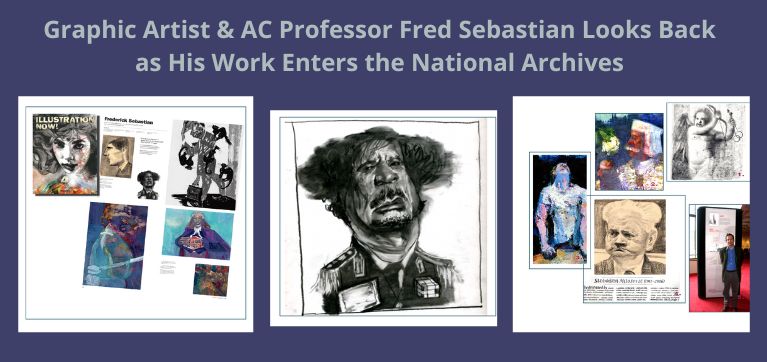
Graphic artist and Algonquin College Professor Fred Sebastian acknowledges having mixed feelings as he watched some of his life’s work – editorial cartoons and illustrations produced for dozens of newspapers and magazines – be taken away recently to join the national collections of Library and Archives Canada (LAC).
“It’s a huge honour to have your work properly taken care of in this way,” Sebastian says, “and it makes you feel humble to have it archived alongside the life’s work of so many people I admire. It’s also sad to see it go.”
LAC has been collecting Sebastian’s artwork for its permanent collection for years. Its first acquisition was in the 1990s; a second instalment went to the Archives three years ago, with notice that the archivists would be back for more. The latest haul should occupy them for some time – matching artworks to publications and publication dates, photographing newspaper or magazine pages or going through USB sticks to cull Sebastian’s copies of his work or digital originals.
Sebastian’s editorial cartoons and illustrations have appeared over decades in outlets as diverse as the long-defunct Ottawa Sunday Herald (which became the Ottawa Sun in 1988), the Ottawa Citizen, Toronto Star, New York Times, Washington Post and Los Angeles Times and a long list of other print and digital media.
Read more >
Posted on Friday, January 14th, 2022
January is Data Privacy Month at Algonquin College. 
The College community is invited to participate in this campaign promoting awareness about information privacy. This year’s theme is #PrivacyStartsWithYou.
Activities will include weekly awareness posts on myAC and social media covering topics such as email best practices, transparency, your role in protecting privacy at work and home, and much more.
Get involved by staying tuned for more messages in the coming weeks and taking a moment to visit the following resources: Stay Safe Online and Stop.Think.Connect.
Don’t forget to complete the online Information Security and Awareness Training to learn how to keep sensitive and valuable College information, including that of our learners and employees, safe.
You can read more about this campaign below.
Read more >