AI Assessment Scale
A Shared Language for Communicating AI Use
The AI Assessment Scale gives learners and teachers a common way to discuss when, how, and to what extent AI may be used in course learning activities and assessments.
The levels show a progression from no AI use to more integrated use of AI as part of the learning process. At every level, learners remain responsible for the accuracy and quality of their course work. They are expected to use AI ethically and transparently by acknowledging when and how AI contributed to their work.
Empowering Learners to Be Active, Discerning Users of AI
The scale is intended to set clear expectations for engaged critical use of AI in courses. The goal is for learners to develop skills and mindsets by which AI supports rather than replaces their learning.
How to Use
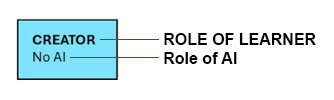
Learner’s role is shown as bolded, upper case text; AI’s role is unbolded, lower case text.
Embed in Your Course
You have a few options for using the scale in your course:
- Copy and paste the graphic and text for the appropriate level into your Brightspace course (e.g. Course Information section) or into course documents (e.g. assignment instructions or the weekly schedule).
- Link to the full scale and refer learners to the specific level that applies.
Discuss the Scale and Levels With Your Students
-
- Introduce the scale during the first week of classes.
- Revisit scale levels when discussing learning activities and assessments. Students may need elaboration and examples to understand expectations.
- Remind students that uncited or unacknowledged use of AI may be considered academic misconduct under the College’s AA48 Academic Integrity policy.
Levels of Student AI Use

LEVEL 1: Creator – No AI
You complete all tasks yourself without using AI.
Non-AI tools that support simple grammar editing and spell-checking are allowed.
Non-AI tools to support text-based coding is allowed.

LEVEL 2: Learner – AI Supports Learning
You use structured AI prompts to practice skills, review learning content, and deepen your understanding of ideas.

LEVEL 3: Co-Planner – AI Supports Planning and Organization
You complete core tasks yourself. AI is limited to helping you get started with planning and organizing your work. These tasks may include:
• Brainstorming ideas
• Outlining your thoughts
• Organizing your ideas
• Structuring work into steps, tasks, and schedules
Acknowledgement of AI use is required.

LEVEL 4: Co-Creator – AI Supports Collaboration
You actively engage AI in conversations to produce work that balances your effort with what the tool creates. You do most of the work, not AI. AI provides collaborative support to:
• Start initial research
• Analyze data
• Summarize information
• Refine thoughts and connect ideas
• Provide alternative perspectives and viewpoints
• Draft and edit written content and scripts
• Enhance the style, tone, clarity, and structure of your communications
• Build prototypes and design mock-ups
• Design visuals
• Improve quality of your work by testing and asking for feedback
Acknowledgement of AI use is required.

LEVEL 5 – Creative Director – AI Creates (under close monitoring)
You use AI extensively and direct it to complete complex problem solving, information synthesis, and multi-step projects according to discipline or industry practices. AI creates more of the work, but you manage and monitor the process. You carefully plan, review, and revise AI-generated work according to guidelines provided by your teacher.
This level requires advanced AI experience, foundational knowledge of your discipline, and strong critical analysis skills.
Acknowledgement of AI use is required.
Student Use Guidelines
Apply these guidelines at every level of AI use:
Stay in Charge of Your Own Learning
Use AI to support your thinking and creativity, not to replace it. If you let AI complete your work without questioning its results or making intentional changes, you are not fully participating in your learning.
Always Question and Verify
AI tools are imperfect and constantly changing. Use them critically rather than accepting the results without review. Check for bias, make sure the content makes sense, and confirm the accuracy of information before using it.
Use Responsibly and With Integrity
You are accountable for the quality and accuracy of the work that you submit. It should represent your own thoughts and effort.
Acknowledge Use of AI
Describe how you used AI within your work as directed by your teacher.
Notes
- AI Assessment Scale (2026) by Learning and Teaching Services. Adapted from The AI Assessment Scale (Learning Innovation Practice) used under CC BY-NC-SA 4.0 . Elements were inspired by GAI Use Scale (University of Kentucky).
- MS Copilot was used to fine tune the tone, style, and language of the scale’s preamble and level descriptions. All content underwent human review.